
Features
One backbone, four jobs it does well.
KomosOccasions is not a stack of add-ons. It is one system for running many events at once, and the four capabilities below are the parts of that one job.
Read them as a whole. The CRM holds the events, the supplier backbone holds the vendors, the AI does the intake, and event-day mode carries all of it to the venue.
Capability 01
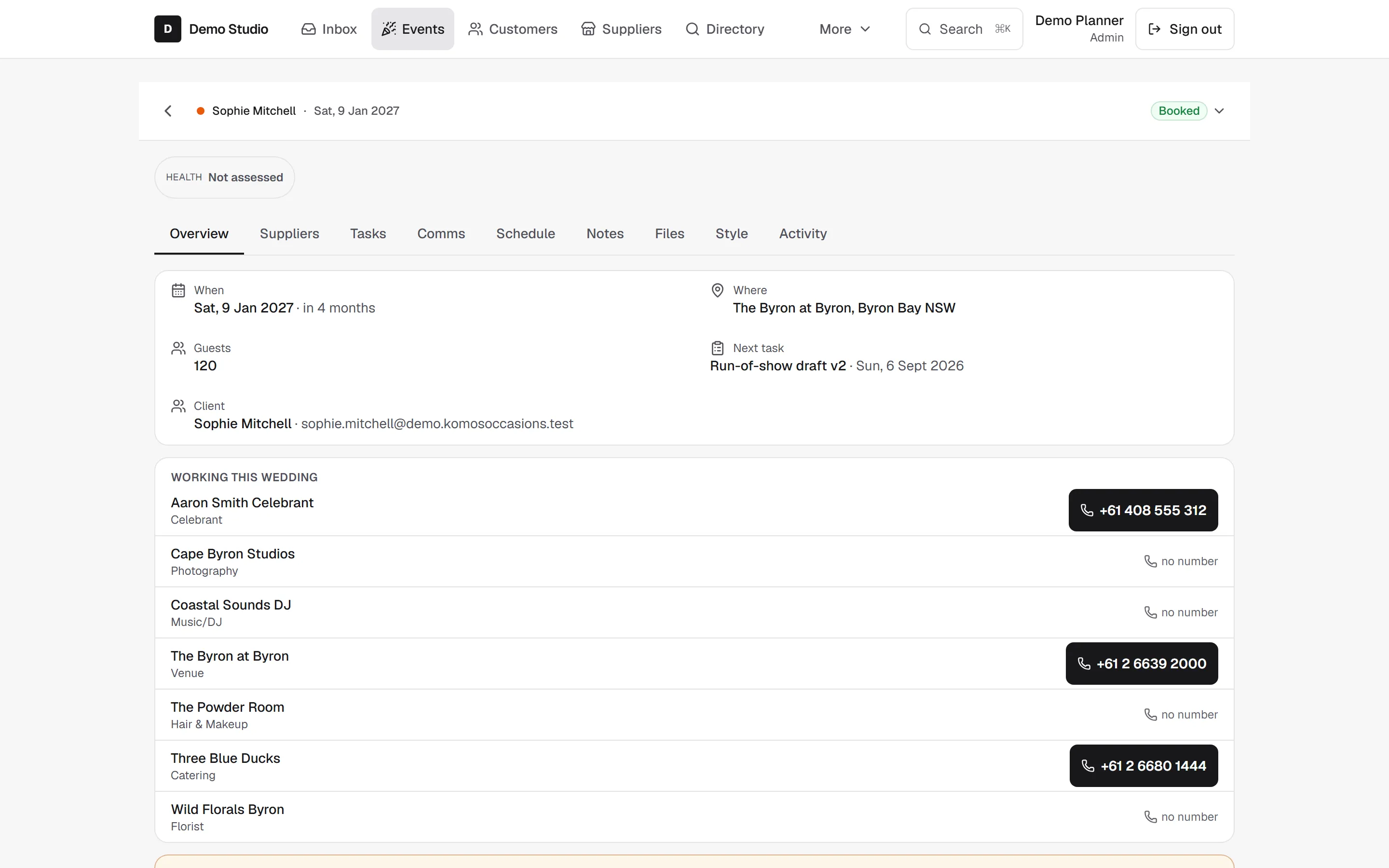
Client and event CRM
- Who it is for
- Studios tracking many events, clients, and contracts at once.
- What is included
- One record per event, tied to the right day; client details, contract terms, and payment status held in one place; a clear view of what is due and what is confirmed.
- The outcome
- When a client asks mid-meeting whether the deposit is paid, the answer is "yes, on the third," not "let me check."
- Format
- Web app for planning and daily work, part of the single KomosOccasions tool.


Capability 02
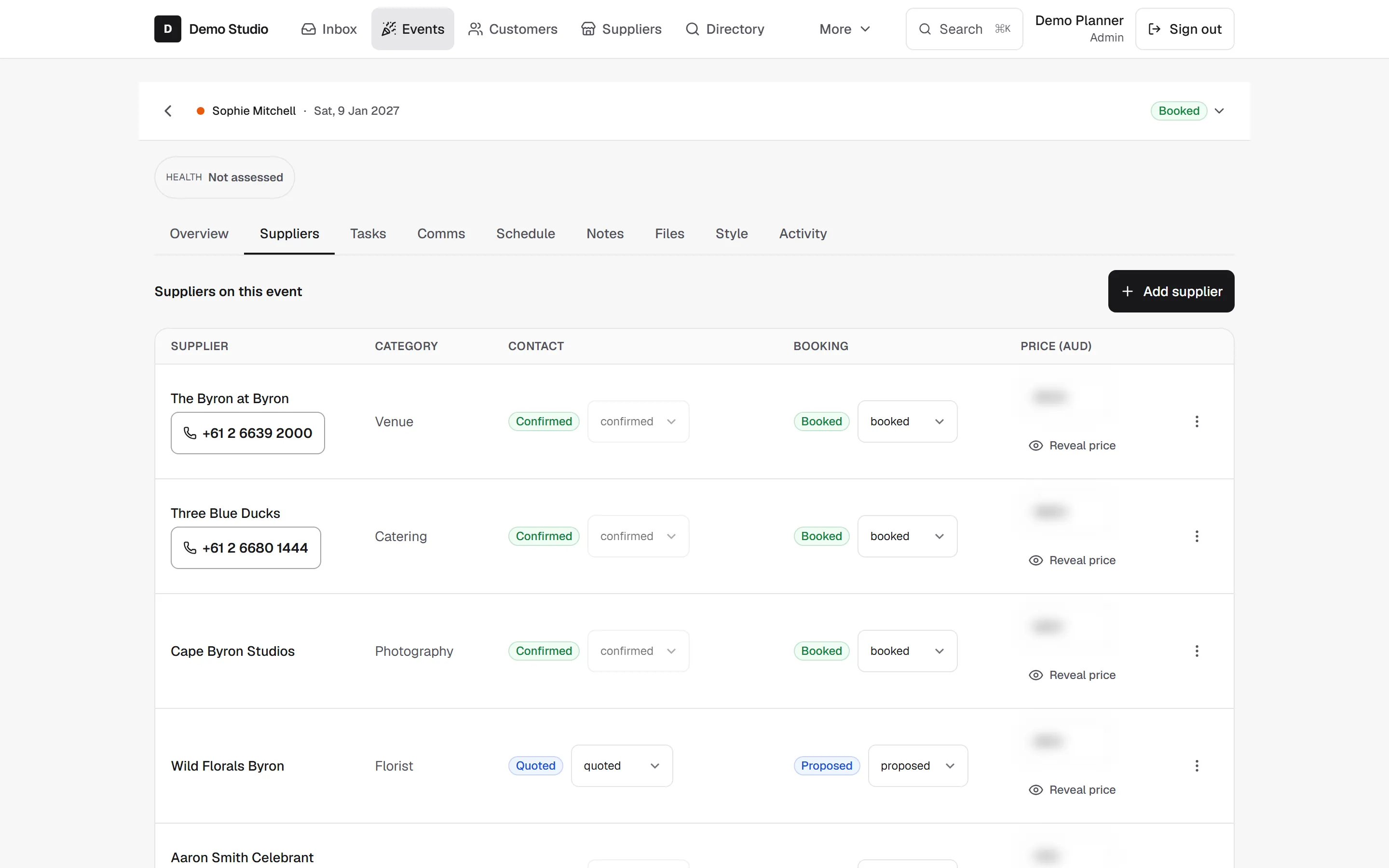
Supplier and vendor management
- Who it is for
- Planners coordinating many vendors across many events, where a wrong call time ruins a day.
- What is included
- Every vendor, bump-in time, and arrival time held straight and tied to the right event; the supplier network as the backbone, not an afterthought to billing.
- The outcome
- The vendor booked for the right Saturday, the run-of-show that matches the venue, and no wrong-event mistake.
- Format
- Part of the core KomosOccasions app, alongside the event CRM.


Capability 03
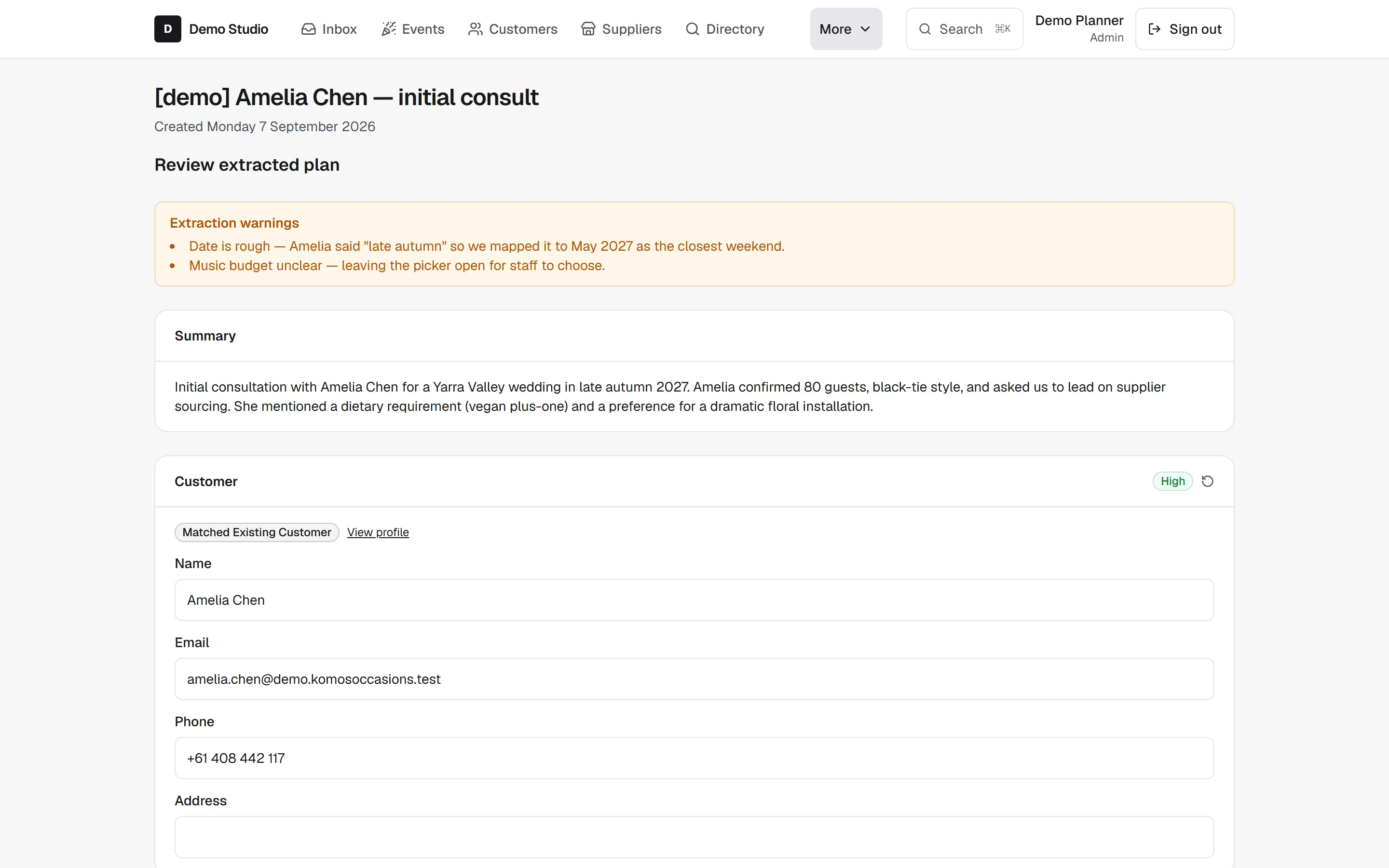
AI transcript intake, confirm-first
- Who it is for
- Planners who spend hours turning client calls into structured notes by hand.
- What is included
- Record a client conversation, and the AI turns it into structured event details, dates, guest notes, dietary requirements, and vendor mentions, laid out for review.
- The outcome
- Faster intake with a hard safety rule. AI output is always a suggestion. Nothing is committed until you confirm each detail, so a confident wrong answer never enters the event on its own.
- Format
- Built into KomosOccasions. This is AI-native intake, meaning the AI describes what it heard and you decide what is true.


Capability 04
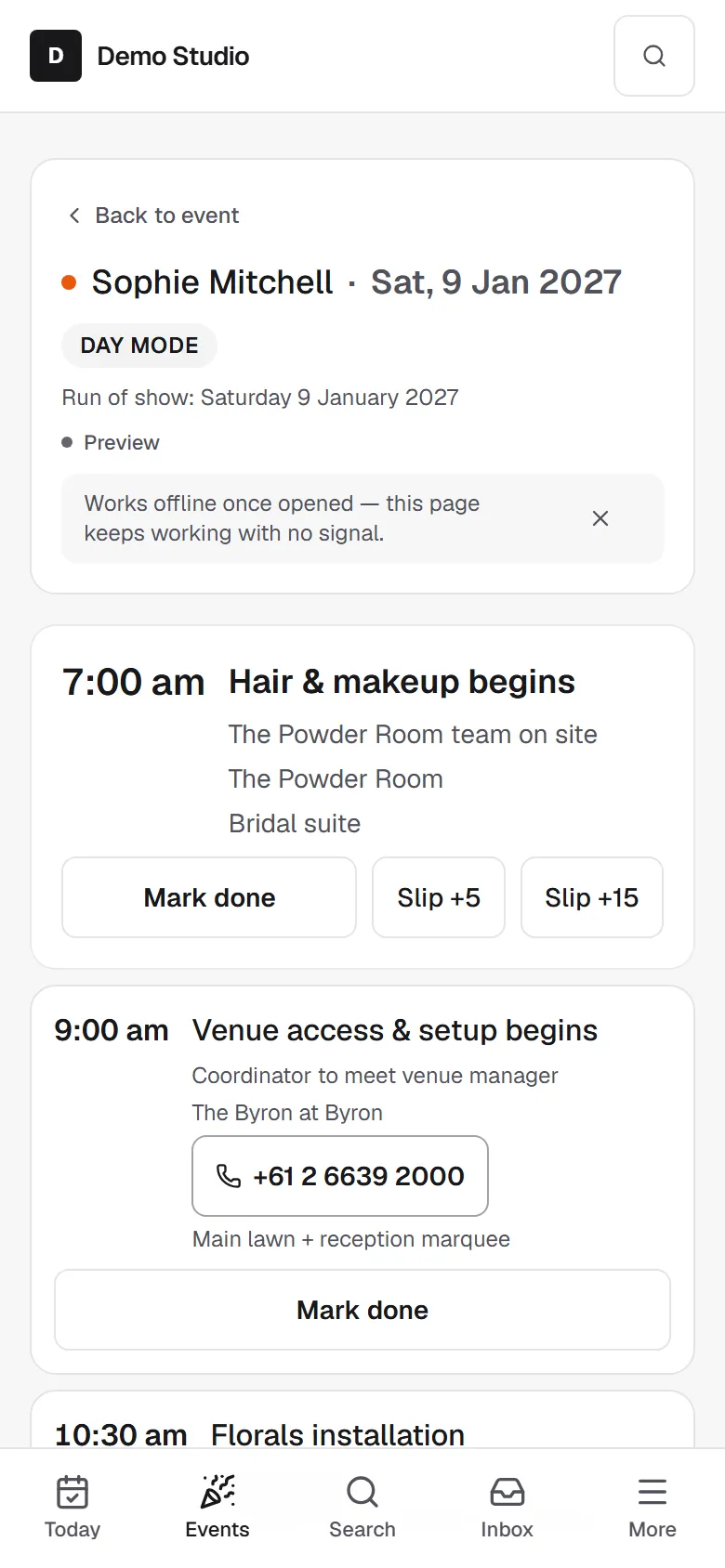
Offline event-day mode
- Who it is for
- The planner on their feet at the venue, often with no signal.
- What is included
- A one-handed, offline-capable run-of-show that keeps every arrival time, call time, and note on the phone, and syncs when signal returns.
- The outcome
- The vegan count, the band's call time, and the car plan read back without a tab or a guess, at a vineyard an hour past the last cell tower.
- Format
- Part of KomosOccasions, designed for live use on the day.


And the rest
The parts that are not a headline
The four above are what KomosOccasions is for. These are the things you would otherwise keep in a second tool, and they are included rather than sold separately.

Calendar sync
Events sync to Google Calendar or Microsoft, so the date lives where the rest of your week already is.

Run sheets
Build the run-of-show item by item, each with its supplier, call time and place. It is the same list event-day mode reads offline.

Guest numbers and dietaries
Head count and dietary or medical notes sit on the event record, not in a thread, so the caterer question has one answer.

Quotes and invoices
Contract terms and payment status against the event, with Xero connected so an invoice is not a second system to remember.

Reports
What is booked, what is due, and what is still an enquiry, across every event rather than one at a time.

Your team
Invite the people who work your events and give them a role. Coordinators see the day; they do not see the billing.
Also in the app and not pictured: a shared inbox with every message against the event it belongs to, an assistant you can ask about a record, suggested next steps, and your own public page with an enquiry form on it. Four page designs, custom questions on that form and your own domain are on the Branded plan; the rest is on both.
What it costs
Pricing
Two planner plans, A$49 and A$119 a month, both starting with the same 14-day free trial and no credit card. Suppliers list, reply and collect ratings for nothing at all.
No GST. We are not GST registered, so the price you see is the price you pay.
Category context
How it compares
Category context, not a feature scorecard.
| KomosOccasions | Generalist CRMs (for example HoneyBook, Dubsado) | Wedding-first CRMs (for example Aisle Planner) | |
|---|---|---|---|
| Built around | Suppliers plus clients | Client billing | Weddings |
| Occasions covered | Weddings, corporate, parties | Any service business | Weddings, US-first |
| AI intake | Yes, confirm-first (never auto-commits) | Not checked | Not checked |
| Offline event-day mode | Yes | Not checked | Not checked |
| Australian data residency focus | Yes | Not Australia-focused | US-first |
See all four working together
The capabilities make the most sense in motion.
Start the free trial and watch a client call become a confirmed event, then run that event offline on a phone.
Fourteen days, free, no credit card.